Visual Bookmarks
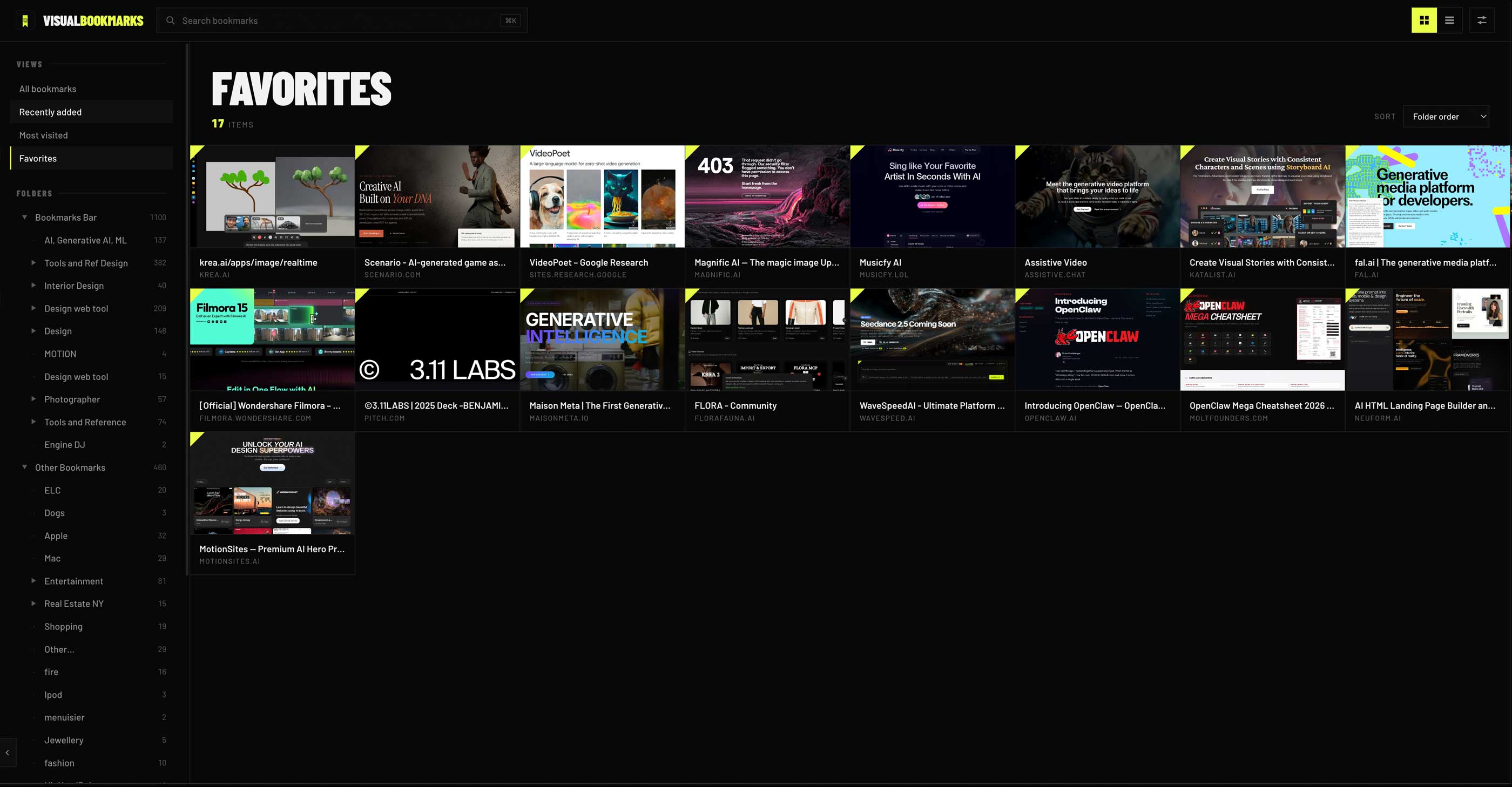
Your new tab is the page you visit a hundred times a day. This one shows your own bookmarks as image cards you can search, sort, and open without touching the mouse.
Scroll runs the demo
All bookmarks


Built for your hands
Instant search
One shortcut from anywhere on the page. Type a title, a domain, or a folder name, then press the down arrow to drop straight into the results.
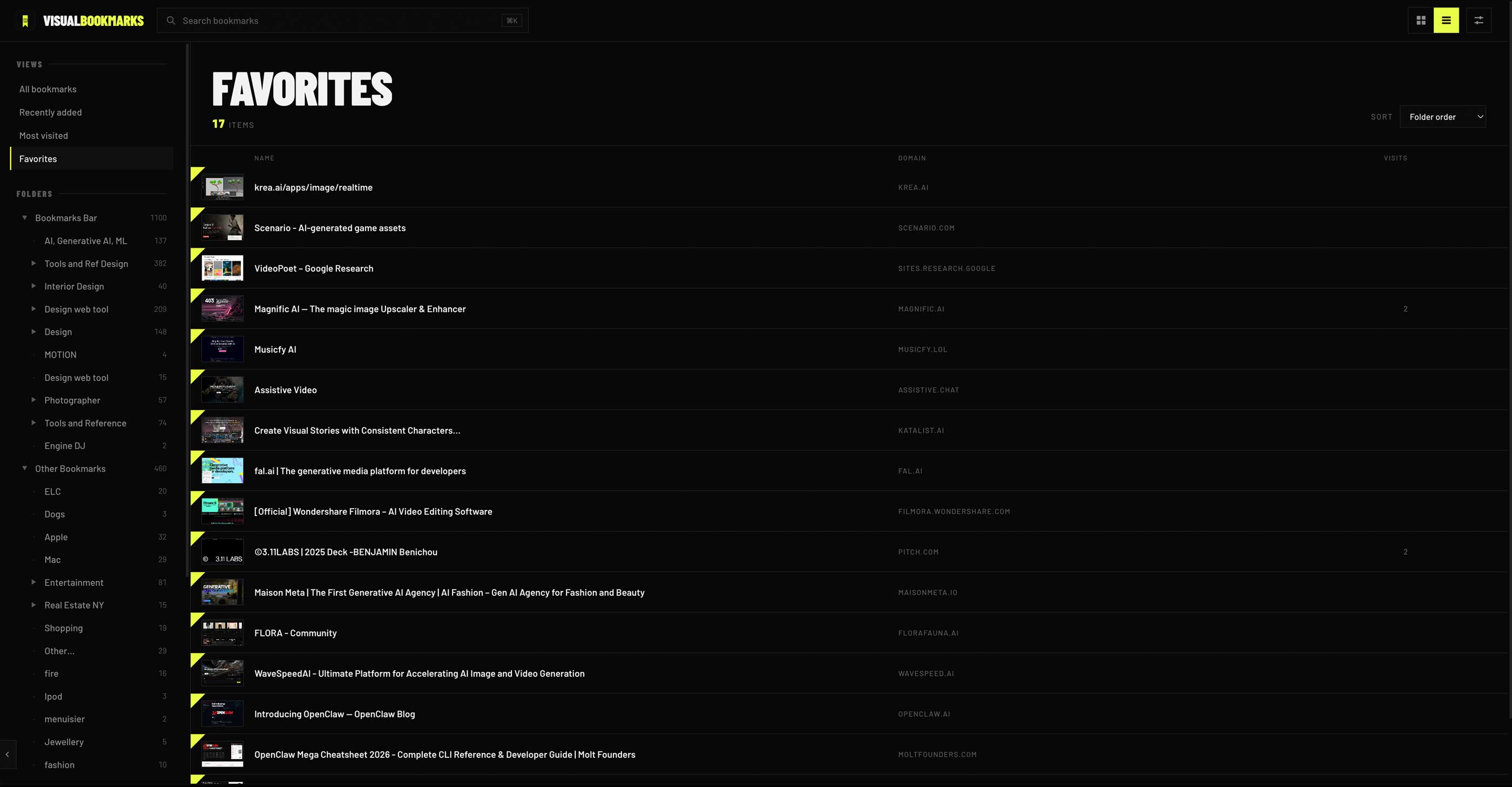
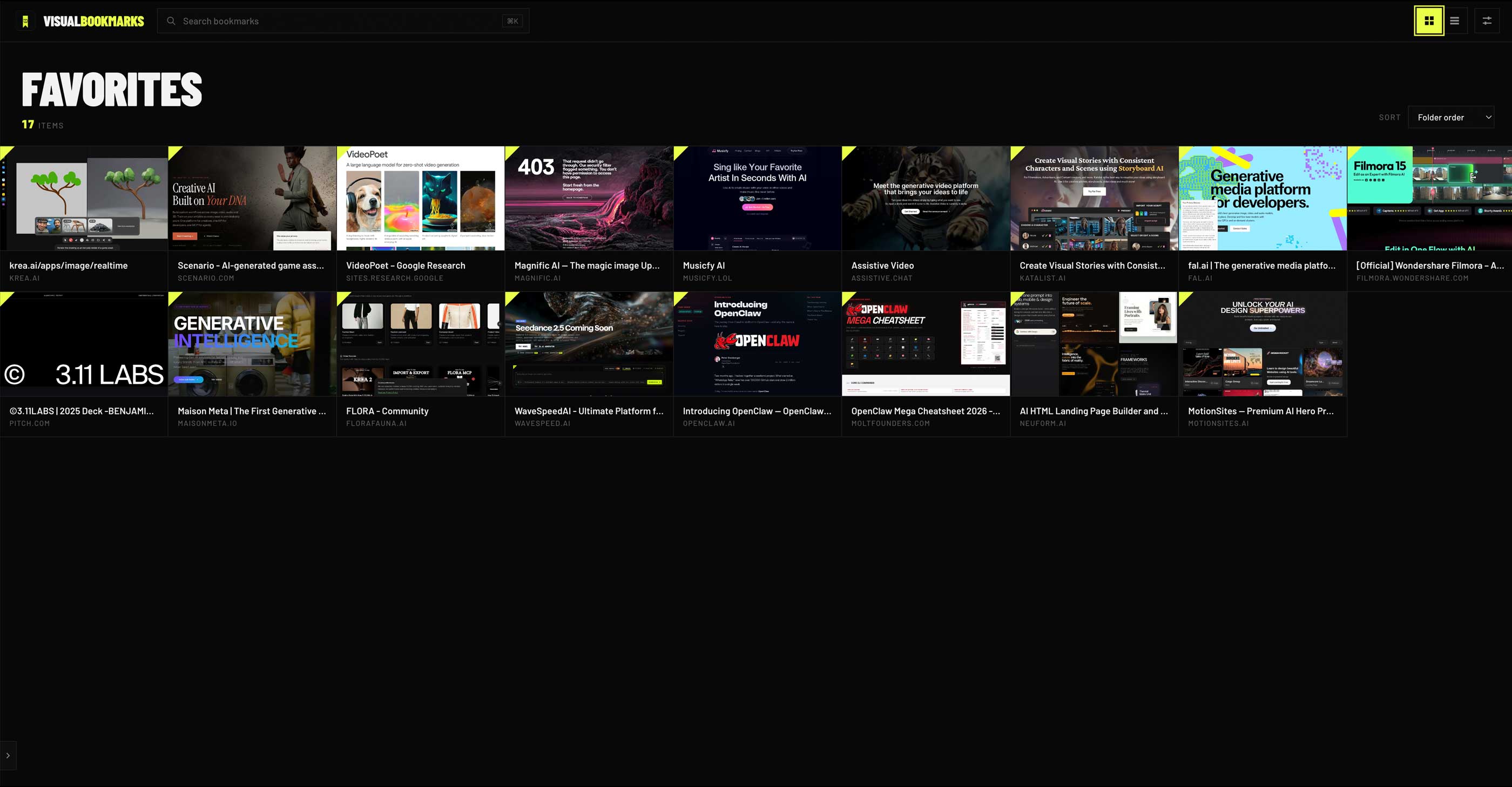
Grid or list
Cards when you want to recognize, rows when you want to scan. One key flips the whole page and your choice is remembered.
Favorites
Star a bookmark and it earns the acid corner. The Favorites view keeps your daily sites one keystroke away.
Zero mouse
Arrows move the selection ring, Enter opens, and Cmd Enter opens in the background. Undo covers you when you delete.
Cards when you look, rows when you scan
Type on this page
This board is wired to your keyboard right now. Every key you press lights up here, the same way the extension listens on every new tab.
Nothing leaves your browser
There is nothing to sign up for. Install it, open a tab, done. It cannot know who you are.
No analytics, no telemetry, no pixels, no third party scripts. Your activity is not measured by anyone, including me.
There is no backend. Your bookmarks, favorites, and settings live in Chrome on your device and are never collected, sold, or shared.
Reads the bookmarks you already have so it can show them, and edits them only when you rename or delete one. They stay in Chrome.
Reads visit counts on your device, only to order the Most Visited view. Your history is never stored by the extension or sent anywhere.
Keeps your preferences, favorites, and a cache of preview images locally so new tabs open instantly. All of it lives on your machine.
Shows each site's icon using Chrome's own built-in favicon service. Nothing is requested from me.
Make the tab yours
Free · 190 KB · Loads unpacked in about two minutes · the guide walks you through it